Custom domain
Serve your digital menu from your own custom domain, like menu.yourrestaurant.com. Add the domain, set up DNS records, and get HTTPS. Available on Premium.
You can serve your menu from a domain you own, like menu.yourrestaurant.com, instead of your default amusebit.site address. You manage this on the Domains page in the sidebar.
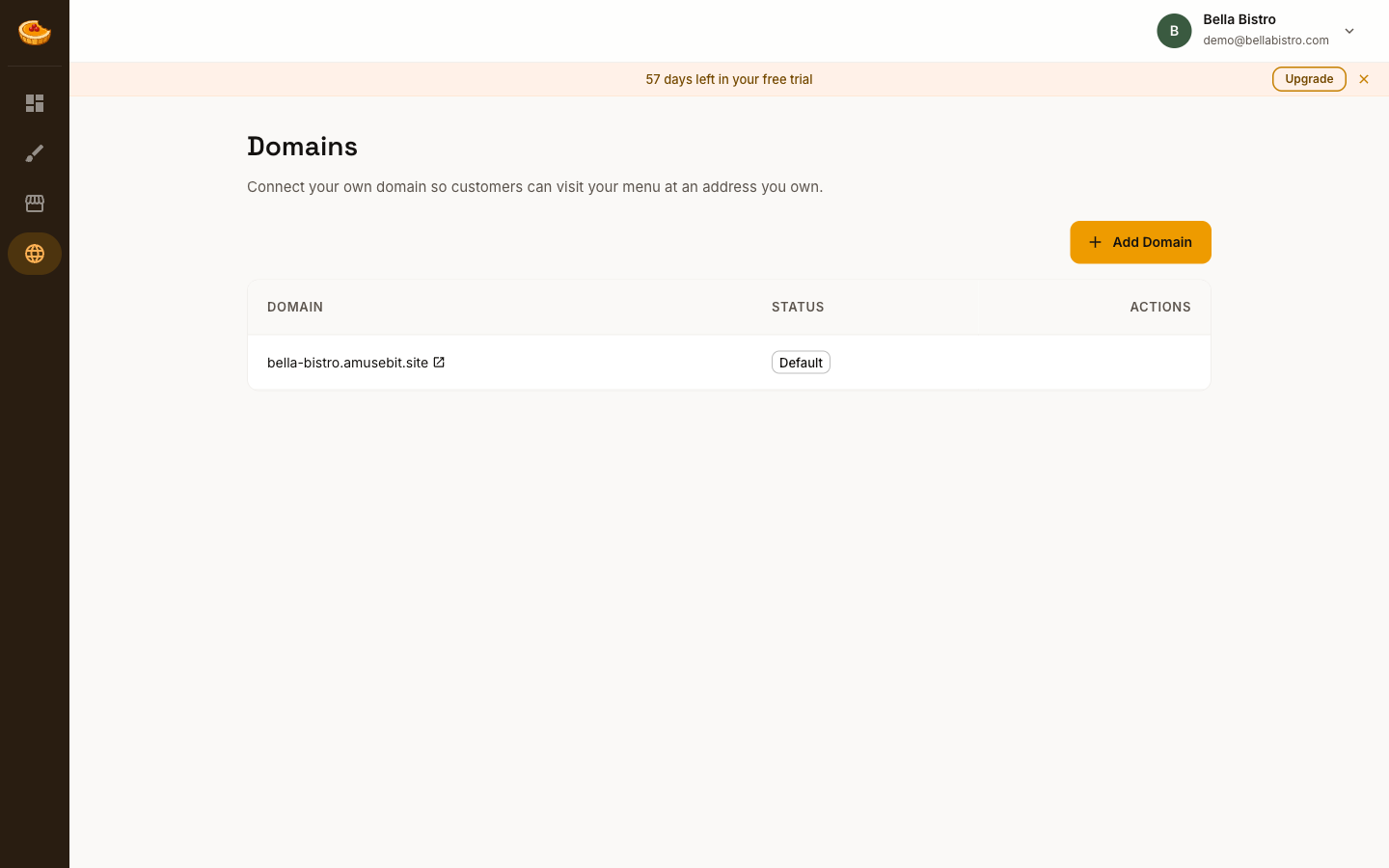
Add your domain
-
Open Domains in the sidebar and click Add Domain.
-
Enter the domain you'd like to use, such as
menu.yourrestaurant.com.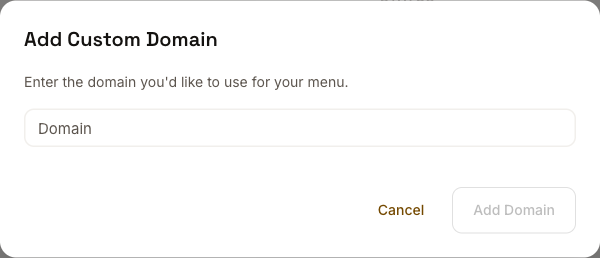
-
Follow the DNS instructions shown to point your domain to Amusebit. You add these records with your domain registrar (wherever you bought the domain).
-
Once the DNS changes take effect and your domain is verified, your menu is served on it automatically over HTTPS.
DNS changes can take anywhere from a few minutes to a few hours to propagate. The Domains page shows your domain's status while it's being set up.
Your default address still works
A custom domain is added alongside your amusebit.site address, not a replacement. Both continue to point to the same menu, so any links or QR codes you've already shared keep working.
Availability
Custom domains are part of the Premium plan. See Plans & billing for details.