Sections
Organize your digital menu into sections like starters, mains, and drinks. Add, name, describe, reorder, hide, or delete sections in the Studio editor.
Sections are the groups your menu is organized into, like Antipasti, Mains, Desserts, and Drinks. Each section holds menu items. You manage sections in the Studio editor's Content mode.
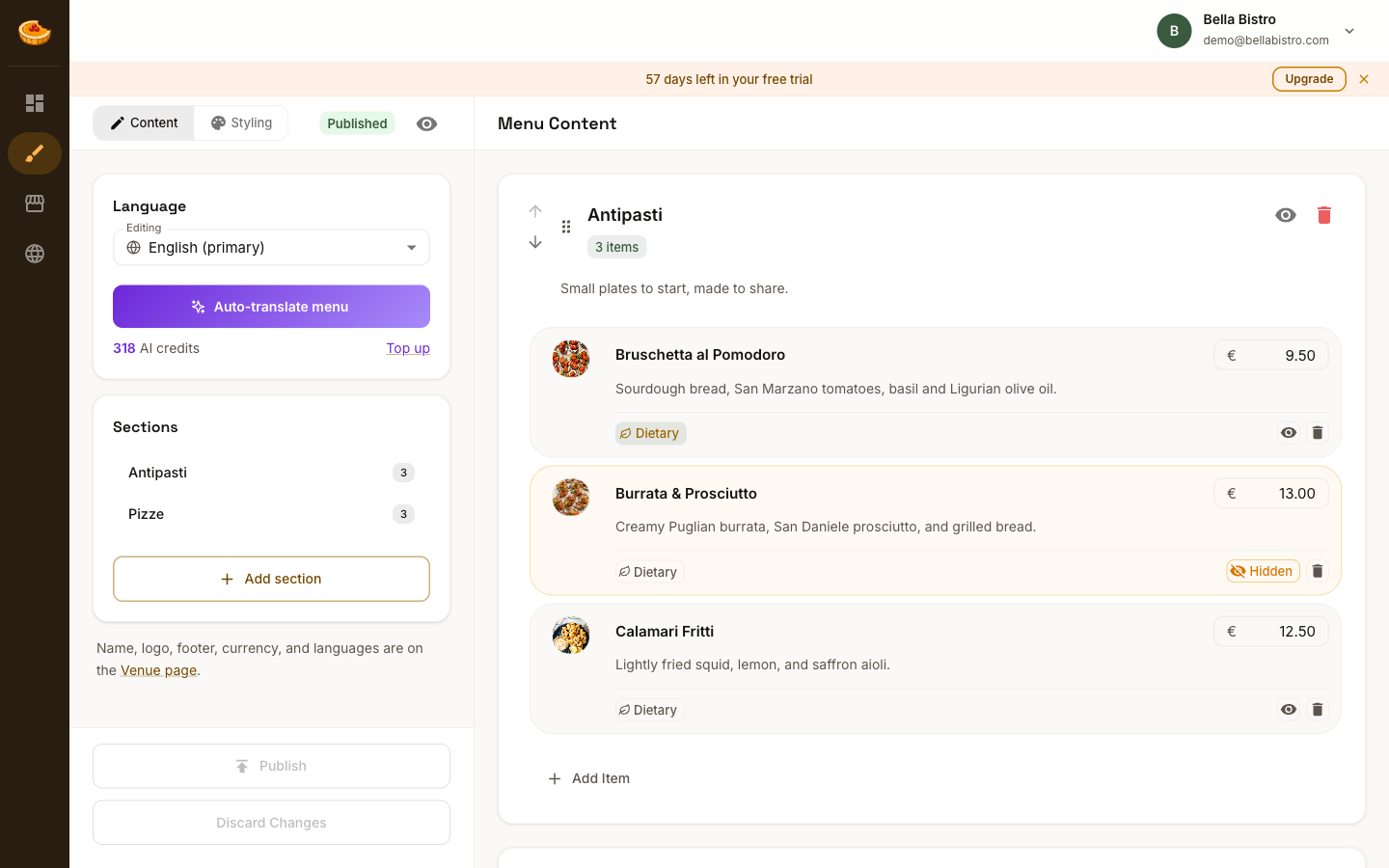
Add a section
Click Add Section to create a new one. A fresh section appears in the Menu Content panel, ready to name.
Name and describe it
- Type the section name (for example, "Antipasti").
- Add an optional description that appears under the section heading on your menu.
Your changes save automatically as you type.
Reorder sections
Use the up and down arrows, or drag the handle, to change a section's position. Sections appear on your published menu in the order shown here.
Hide a section
Click the eye icon to hide a section without deleting it. Hidden sections stay in your editor but don't appear on your published menu, which is handy for seasonal or temporarily unavailable sections.
Delete a section
Click the trash icon to remove a section and all of the items inside it. If you only need it gone for a while, hiding it is the safer choice.
Add items
Inside each section, use Add Item to start filling it in. See Menu items for the details.