Your dashboard
Your dashboard shows whether your menu is live or a draft, counts your sections and items, and lists your menu URL and currency, with links to every area.
The dashboard is the first thing you see when you log in. It gives you a quick read on your menu and fast access to everything else.
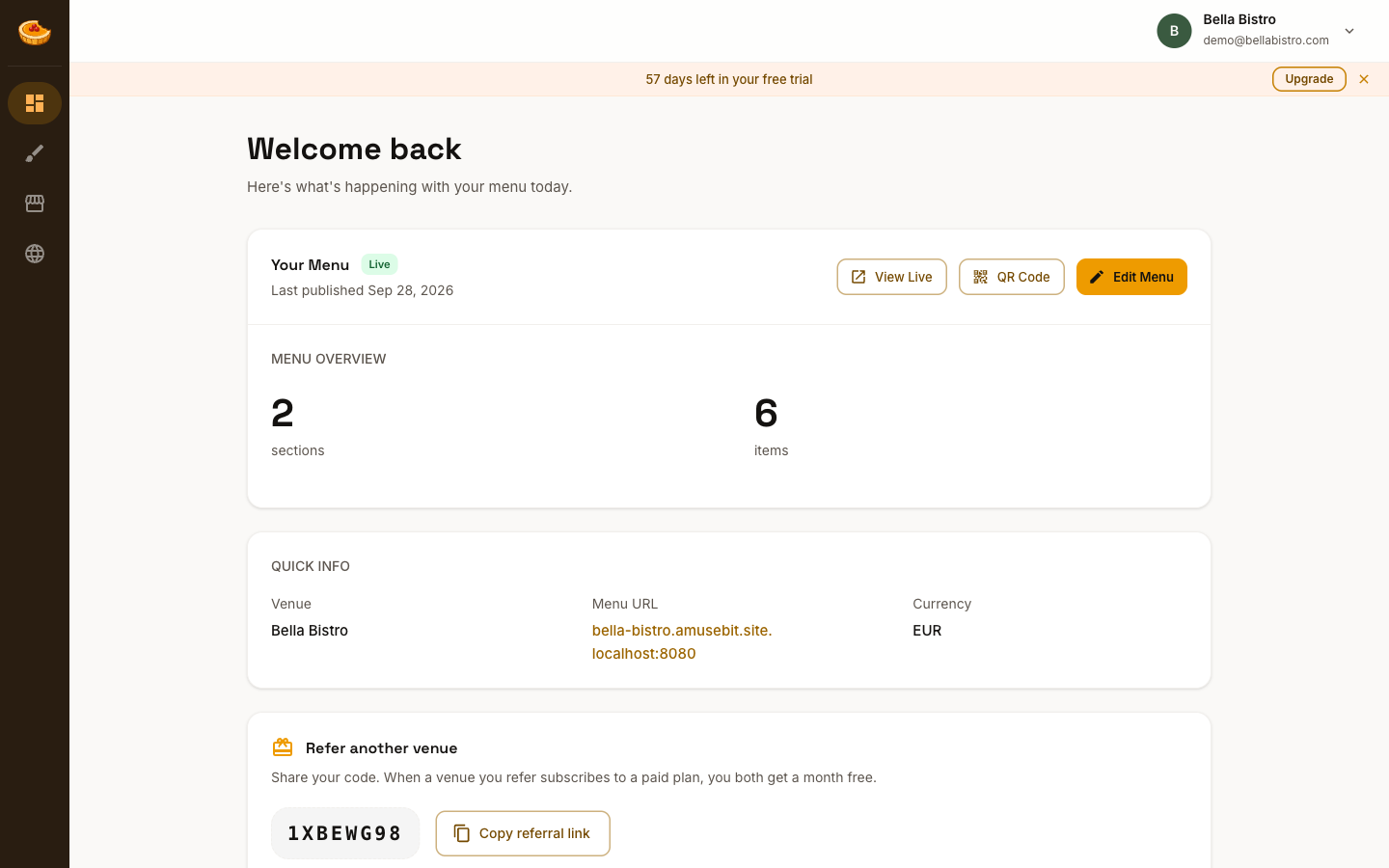
Your menu
The Your Menu card shows whether your menu is Live or still a Draft, along with the date you last published. From here you can:
- View Live opens your published menu in a new tab
- Edit Menu takes you into the Studio editor to make changes
Menu overview
A quick count of your menu's sections, items, and the total number of entries, so you can see its size at a glance.
Quick info
- Venue: your venue's name
- Menu URL: your published menu's web address (
your-venue.amusebit.site) - Currency: the currency your prices are shown in
Getting around
The sidebar on the left links to the four main areas:
- Dashboard: this overview
- Studio: build and style your menu
- Venue: your venue's name, logo, footer, currency, and languages
- Domains: connect a custom domain
Your account menu, under your venue name in the top right, holds Account, Billing, and Sign out.
While you're on the free trial, a banner at the top shows how many days remain, with a quick link to upgrade.