Venue identity
Set your venue name, tagline, logo, and favicon on the Venue page. See which logo formats and sizes work best and how the favicon shows in the browser tab.
Your venue identity is how your menu introduces itself: the name and tagline at the top, your logo, and the favicon that appears in the browser tab. You set all of these on the Venue page. Click Venue in the sidebar.
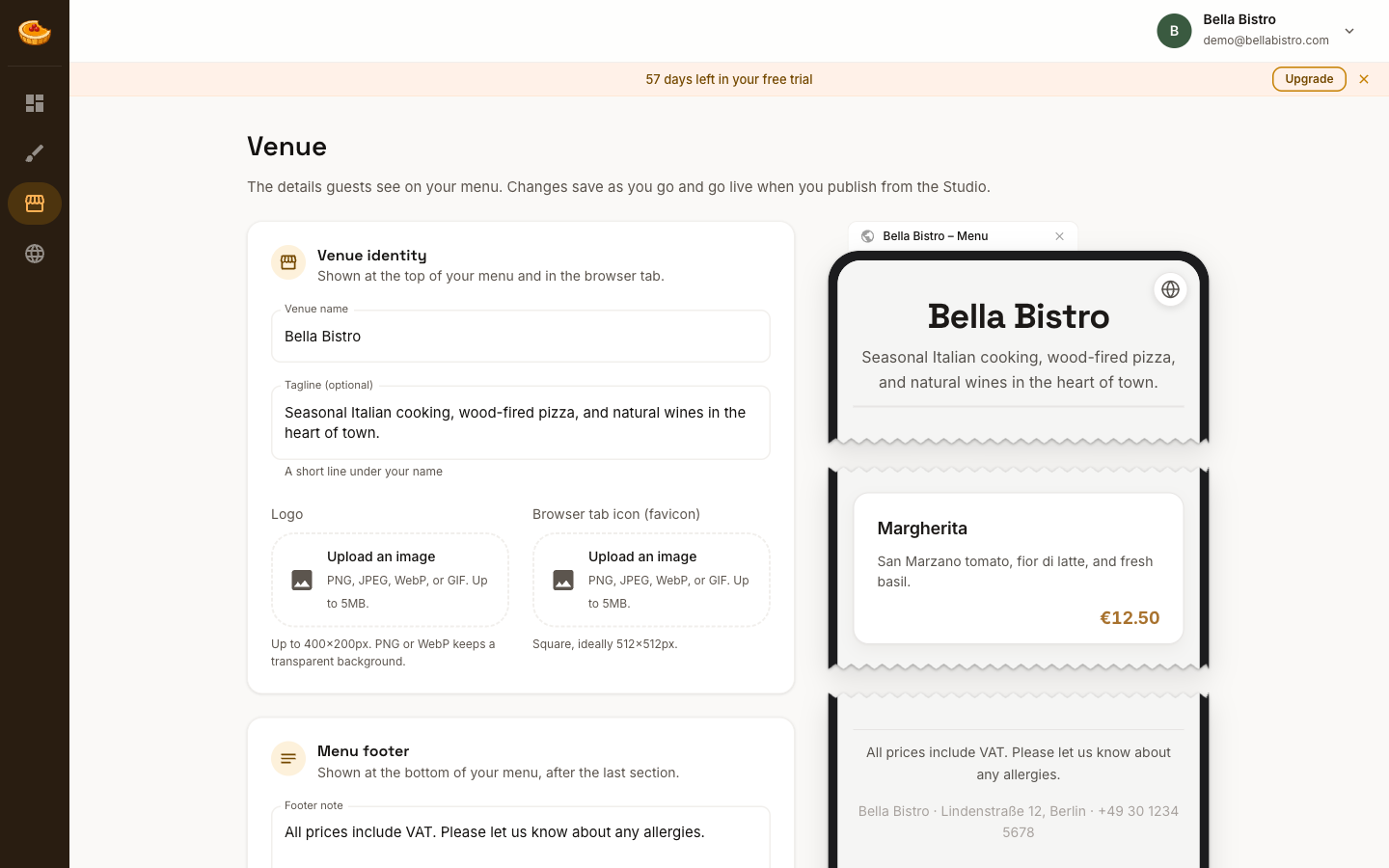
The Venue page
The Venue page holds the details you set once and rarely change:
- Venue identity: your name, tagline, logo, and favicon (this page)
- Menu footer: a note and your contact details. See Menu footer.
- Currency and number format: how prices are written. See Prices & currency.
- Menu languages: the languages guests can switch between. See Menu languages & AI translation.
On wide screens, a preview beside the settings shows the browser tab, your menu's header and footer, and one sample item, in your current theme. It updates as you type.
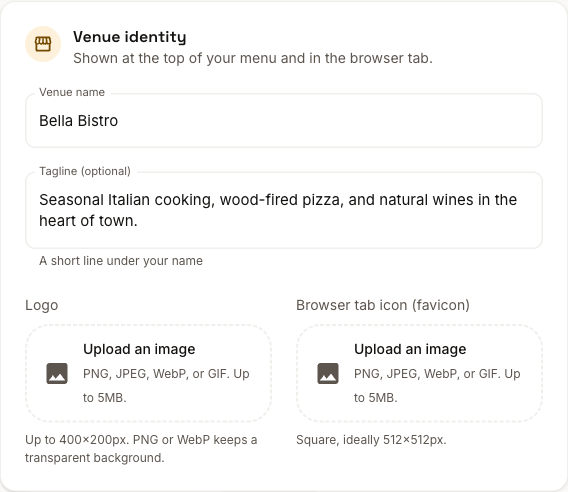
Venue name
The name shown at the top of your menu and in the browser tab. You set it when you create your venue, and you can change it here at any time.
Tagline
An optional short line beneath your name, perfect for a description or slogan like "Seasonal Italian cooking in the heart of town."
Logo
Upload a logo to display at the top of your menu. Drop an image or click to browse.
- Formats: PNG, JPEG, WebP, or GIF (up to 5MB)
- Recommended: 400×200px or smaller; PNG or WebP for a transparent background
Favicon
The favicon is the small icon shown in the browser tab when someone opens your menu. Upload a square image (512×512px works well) and Amusebit resizes it to all the standard sizes for you.
Saving and publishing
Your changes save automatically as a draft. While some of them aren't on your menu yet, the page says so, with two buttons:
- Publish in Studio opens the Studio, where Publish makes them live along with any menu and styling changes. See Publishing your menu.
- Discard changes puts the Venue page back to what's on your menu now. Unpublished changes in the Studio aren't affected.