Dietary, allergens & nutrition
Label the 14 EU allergens, add dietary badges like vegan and gluten-free, and publish a nutrition table per item. Choose how allergens show on your menu.
Guests with allergies or dietary requirements should not have to ask. Each item can carry allergen labels, dietary badges, and a full nutrition table, and you choose venue-wide how each of those appears on the published menu.
Adding details to an item
In the Studio editor's Content mode, every item has a details button below its description. It reads Add dietary flags, allergens and nutrition when empty, and shows a count once something is set.
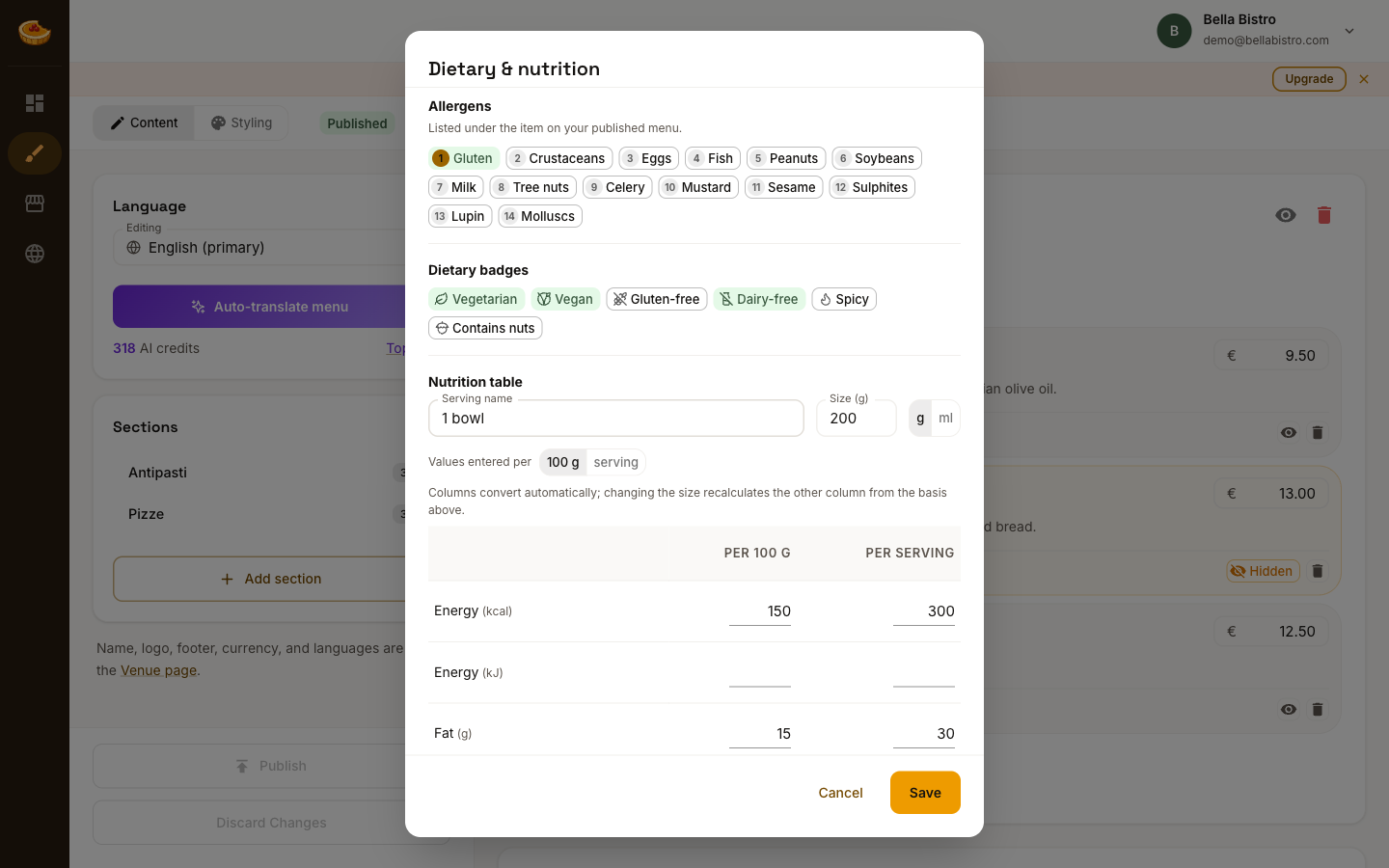
Allergens
The 14 allergens required across the EU are listed, each with its standard number: gluten (1), crustaceans (2), eggs (3), fish (4), peanuts (5), soybeans (6), milk (7), tree nuts (8), celery (9), mustard (10), sesame (11), sulphites (12), lupin (13) and molluscs (14).
Select whichever apply. The numbers are fixed and standard, so a guest who knows they react to number 7 can read any compliant menu the same way.
Dietary badges
Six badges cover the common cases: vegetarian, vegan, gluten-free, dairy-free, spicy, and contains nuts.
A dietary badge is a claim you are making to your guests. Only mark a dish gluten-free or vegan if that is true of how it is actually prepared, including shared fryers and utensils.
Nutrition table
Give the serving a name and a size, then enter values. The per 100 g and per serving columns convert automatically from whichever basis you enter. Change the serving size and the other column recalculates.
You do not have to fill every row. Blank rows are simply omitted from the published table.
Choosing how it appears
Allergens and dietary badges are presented venue-wide, not per item. Both settings live in the Studio editor's Styling mode, in the Menu display card under the theme. They work the same in every theme.
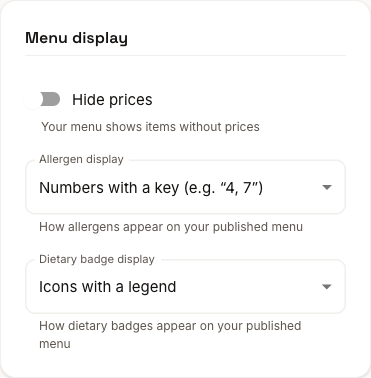
Allergen display offers three options:
- Text spells them out under the item, as "Contains: fish, milk".
- Numbers with a key shows
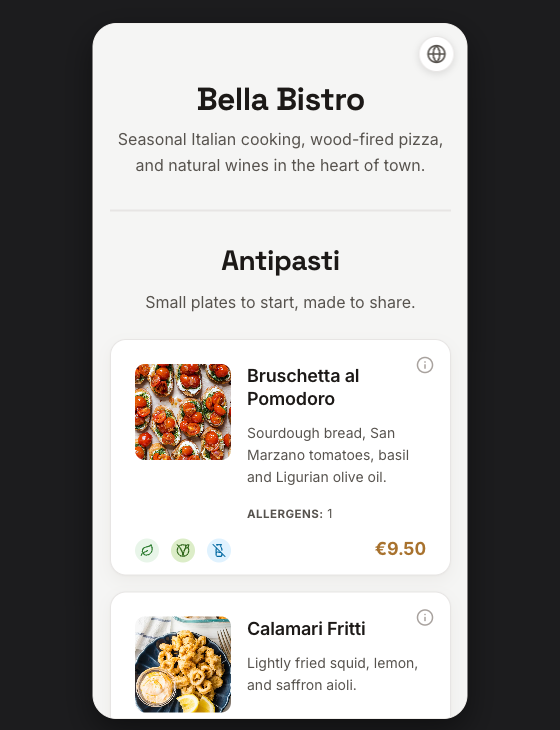
ALLERGENS: 4, 7, with a numbered key on the page. - In the item details popup only hides them until the guest opens the item's details.
Dietary badge display offers three too:
- Icons with a legend puts small icons on each item, explained once in a legend.
- Icons with text labels pairs each icon with its label on every item.
- In the item details popup only hides them until the guest opens the item's details.
Numbers keep a long menu readable; spelled-out text is friendlier on a short one. Pick whichever suits the length of your menu.
If you are on Standard
Allergen labels are available on every plan. Dietary badges and nutrition tables are Premium. On Standard, anything you have already entered is kept. It stops appearing on the published menu until you upgrade, and is not deleted.
See Plans and billing for the full comparison.