Menu languages & AI translation
Publish a multilingual menu with a language switcher. Translate your menu by hand or with AI auto-translate, and see how AI credits work. Two languages on Standard, unlimited on Premium.
Your menu can be published in more than one language. Guests get a language switcher, and each language lives at its own URL, so you can link straight to the version a guest needs.
Choosing languages
Open the Venue page from the sidebar and find the Menu languages card.
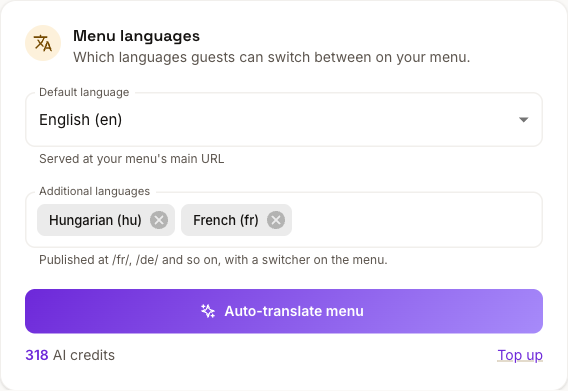
- Default language is served at your menu's main URL.
- Additional languages are published as subpaths (
/fr/,/hu/and so on) with a switcher on the menu itself.
Adding a language does not translate anything on its own. It creates the version; the text is up to you or to AI.
Translating by hand
In the Studio editor's Content mode, the Language card at the top of the left panel picks the language you're editing. On a phone, the switcher sits above your sections. Pick a language and the editor shows that version's fields: section names and descriptions, item names and descriptions.
Prices, photos, allergens, dietary badges and nutrition are shared across all languages, so you set them once. Only the words change per language.
Leave a field empty and the published menu falls back to your default language for that field. A half-translated menu stays readable rather than showing blanks.
Translating with AI
Auto-translate fills every additional language in one pass. You'll find the button in the Studio's Language card and in the Menu languages card on the Venue page.
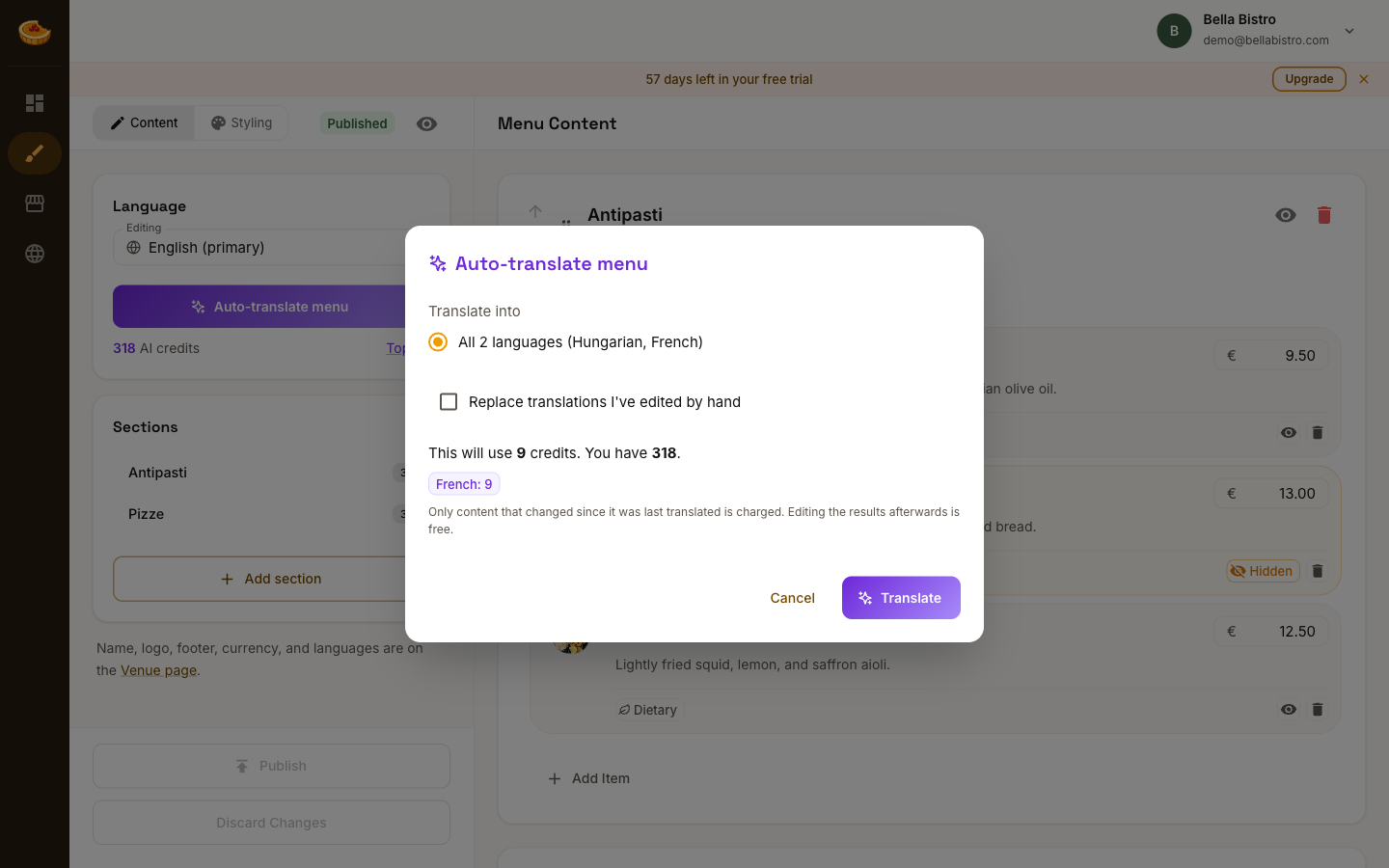
Before it runs, the dialog tells you exactly what it will cost and what you have left. One credit covers one item, one section, or your venue copy, translated into one language, so a 20-item menu across two languages costs roughly 44 credits including sections and venue text.
Two things keep the cost down:
- Only content that changed since it was last translated is charged. Re-running after editing two dishes costs two credits, not the whole menu.
- Editing the results afterwards is free. AI output is a starting point; correcting it costs nothing.
By default, translations you have edited by hand are left alone. Tick Replace translations I've edited by hand only if you want AI to overwrite your own wording.
Machine translation gets dish names wrong more often than sentences. Check the names of regional dishes, and anything where a mistranslation would mislead a guest about an ingredient.
Credits
Credits are included with your plan and reset each month, on yearly plans too:
- Premium: 1,000 credits per month.
- Standard: 50 credits per month.
- Free trial: 300 credits.
Your included allowance is spent before any credits you have bought, so nothing is wasted. If you run out mid-menu, Top up buys a pack, on Standard or Premium. The current packs and prices are shown in the app.
Purchased credits never expire and carry over from month to month. The included allowance does not.
How guests see it
Once published, the menu shows a language switcher, and each language is reachable directly:
bella-bistro.amusebit.sitefor your default languagebella-bistro.amusebit.site/fr/for French
Those links work the same on a custom domain. Both are worth knowing if you print QR codes for different rooms or markets. See Your menu link.
If you are on Standard
Standard includes two menu languages, counting your default one, plus 50 AI translation credits per month. Premium removes the language limit. If you move from Premium to Standard with more than two languages, the extra translations are kept, not deleted. Those languages stop being published until you upgrade.
See Plans and billing for the comparison.